
Your Website is Your Best Employee
Your website works 24/7. It doesn’t call in sick, take vacation, or ask for raises. But most business websites are lazy employees – they show up but don’t actually do anything useful.
I know a plumber who gets three new customers every week from his website. Basic site, nothing fancy, but it answers the questions people have at 2 AM when their toilet overflows. His competitor has a prettier website that wins design awards. Guess who makes more money?
Your website either makes you money or costs you money. There’s no middle ground. Every day people Google businesses like yours. Some of them need what you sell right now. If your website sucks, they call your competitor instead.
Here’s what pisses me off: businesses spend more on their company truck than their website, then wonder why they’re not getting customers online. Your truck sits in your driveway at night. Your website is out there selling while you sleep.
Design vs Development (Stop Getting Confused)
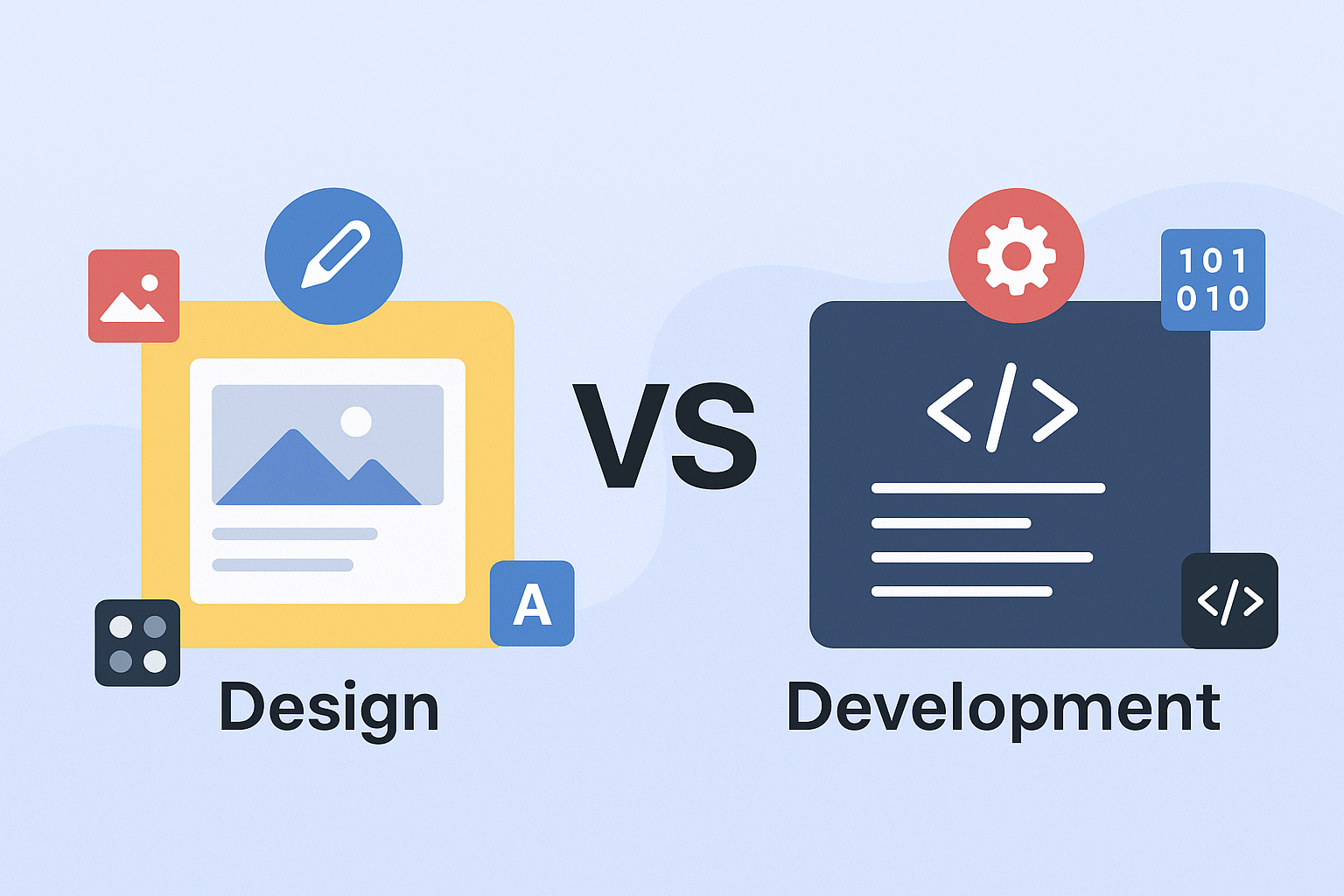
People mix these up constantly, so let me clear it up.
Design = how it looks and feels Development = how it works
That’s it.
A designer picks colors, decides where buttons go, makes things look professional. They think about whether your logo should be bigger or smaller, what happens when someone hovers over a menu item, how to organize information so people can find stuff.
A developer writes code. They make contact forms actually send emails, shopping carts process payments, websites load fast. When your site breaks, you need a developer, not a designer.
You need both, but here’s the kicker – they think completely differently. Designers want things to look perfect. Developers want things to work reliably. Sometimes these goals conflict.
Good designers understand what’s technically possible. Good developers care about user experience. Great websites happen when you find people who get both sides, or when designers and developers actually communicate instead of working in silos.
Most problems happen because someone hired a designer to do development work, or a developer to do design work. It’s like asking your accountant to fix your car – they might figure it out, but it won’t go well.
Think First, Build Second

This is where everyone screws up. They get excited about fonts and colors before figuring out what the hell they’re trying to accomplish.
My buddy owns a landscaping company. Came to me wanting a website “like that cool agency site I saw.” That agency targets tech startups with venture capital money. He targets homeowners who need their lawn mowed. Different audiences, different goals, different websites.
What do you actually want? More phone calls? Online sales? To look more professional than your competitors? To stop explaining the same thing over and over? Write it down. Be specific. “I want a website” isn’t a goal.
Who are your people? Not everyone. Your actual customers. The ones who pay you money. Are they young or old? Tech-savvy or barely know how to use email? Busy or patient? In a hurry or researching carefully?
I worked with a lawyer who wanted a “modern, minimalist” website because that’s what looked cool. Problem was, his clients are mostly older folks dealing with wills and estate planning. They wanted detailed information, not pretty white space. We redesigned for his actual clients, not his personal taste. Phone calls doubled.
What questions do people ask you? Before they hire you, what do they want to know? How much does it cost? How long does it take? Are you licensed? Do you travel to their area? Your website should answer these questions before people have to call and ask.
Check out the competition. Not to copy them, but to see what’s standard in your industry. If every other HVAC company shows their service area on a map, you probably should too. If they’re all using stock photos of models pretending to be technicians, use real photos of your actual people.
What Actually Works

Forget everything you think you know about web design. Most of it is wrong.
Your homepage has one job: Get people to the right place fast. That’s it. Don’t try to tell your whole company story, list every service you offer, or show every award you’ve won. Answer three questions: What do you do? Who do you do it for? What should I do next?
Navigation should be boring. Use words people expect. “Services” not “Solutions.” “About” not “Our Story.” “Contact” not “Let’s Chat.” Creative navigation confuses people. Confused people leave.
Every page needs a purpose. If someone reads your “About” page, what should they do next? If they look at your services, what’s the next step? Don’t make people figure it out. Tell them exactly what to do with big, obvious buttons.
Show proof, not promises. Everyone says they’re the best. Show photos of your work. Quote actual customers using their real names. Display your certifications where people can see them. Before and after photos work better than any sales pitch.
Make it stupid easy to contact you. Phone number in the header of every page. Contact form that actually works. Your address if you have a physical location. Business hours posted clearly. Email address that you actually check.
I see websites where you have to click three times to find a phone number. That’s three opportunities for people to get distracted and leave. Don’t hide your contact information. You want people to call you.
Stop with the stock photos. You know the ones – models in hard hats looking thoughtfully at something off-camera, diverse people pointing at computers while smiling, handshakes in front of blurry office backgrounds. Use real photos of your actual business, or skip photos entirely.
Tech Talk Without the BS

Technology changes constantly, but the basics haven’t changed in years. Don’t get caught up in the latest trendy framework when you need a website that works.
Hosting matters more than people think. Cheap hosting is like renting the cheapest apartment in a bad neighborhood. Sure, it’s cheap, but good luck when things go wrong. Spend $20-50/month on decent hosting instead of $5/month on garbage.
WordPress runs 40% of the internet for good reasons. It’s flexible, there are millions of people who know how to use it, and you can find help anywhere. Unless you have specific reasons to use something else, WordPress is probably fine.
Databases store your stuff. Customer information, blog posts, product details – it all goes in a database. The important thing is making sure it’s backed up regularly and secured properly. Most people don’t think about this until something goes wrong.
SSL certificates encrypt data between your website and visitors. Google requires them now, and visitors expect to see the lock icon in their browser. Most hosting companies include them, but make sure yours is set up correctly.
CDNs make your site load faster by storing copies of your files on servers around the world. When someone in Japan visits your site, they get files from a server in Asia instead of one in Ohio. Worth the $10-20/month for most businesses.
Don’t get overwhelmed by technology options. Pick tools that are reliable, well-supported, and appropriate for your needs. Boring technology that works beats cutting-edge technology that breaks.
Don’t Make People Think

People are lazy and impatient. They don’t want to figure out how your website works. They want to find what they need and get on with their lives.
Organize things logically. If you’re a restaurant, put your menu and location information where people expect to find them. If you’re a service business, make it easy to see what services you offer and how to request an estimate.
Use words people actually say. If people call you asking for “air conditioning repair,” don’t label your page “HVAC Climate Solutions.” Use the words your customers use, not the technical terms you prefer.
Make important stuff obvious. Your most popular services, your phone number, your location – don’t bury this information three clicks deep. Put it where people look first.
I worked with a dental practice that organized their services by technical procedures. Root canals, periodontal therapy, endodontic treatment. Patients don’t think that way. They have toothaches, want whiter teeth, or need checkups. We reorganized around patient problems instead of dental procedures. Appointment requests went up 60%.
Test with real humans. Ask someone who doesn’t know your business to find specific information on your site. Don’t help them or give hints. Watch where they click and what confuses them. You’ll be surprised what seems obvious to you but isn’t obvious to them.
Kill the jargon. Every industry has insider language that means nothing to normal people. Marketing automation platforms, customer journey optimization, synergistic solutions – nobody talks like this in real life.
Everyone’s on Their Phone

More than half your visitors are on phones or tablets. If your site doesn’t work perfectly on mobile, you’re turning away customers.
Mobile-first isn’t optional anymore. Design for phones first, then adapt for larger screens. It’s easier to start small and add features than to cram a desktop design onto a phone screen.
Buttons need to be thumb-sized. Tiny links that work fine with a mouse cursor are impossible to tap on a phone. Make clickable elements big enough to tap easily, with space between them so people don’t accidentally tap the wrong thing.
Nobody wants to zoom and scroll to read your content on a phone. Use fonts that are readable without zooming. Keep paragraphs short. Break up text with headings and bullet points.
My favorite test: hand your phone to someone and ask them to find your phone number or fill out your contact form. If they struggle, fix it. If they can’t do it at all, you’re losing customers every day.
Speed matters more on mobile. People on phones often have slower connections than people on desktop computers. If your site takes 10 seconds to load, they’ll give up and try someone else.
Mobile users are often in a hurry. They might be in their car, walking down the street, or waiting in line somewhere. Make it quick and easy to get the information they need or contact you.
Google Isn’t Magic
Search engine optimization (SEO) is mostly common sense, not some mysterious art form. Google wants to show people useful websites that answer their questions. Be useful and Google will like you.
Start with the obvious stuff. Make sure your business name, address, and phone number are the same everywhere online – your website, Google My Business, Facebook, Yelp, everywhere. Inconsistent information confuses Google.
Answer the questions people ask. What do potential customers want to know before they hire you? Write pages or blog posts that answer those questions. If you’re a roofer, write about “How long does a new roof take to install?” or “What’s the difference between shingles and metal roofing?”
Local businesses need local SEO. Include your city and neighborhood names in your content naturally. Create separate pages for each area you serve. Get listed in local directories. Encourage happy customers to leave Google reviews.
Technical stuff that actually matters: Fast loading speed, mobile-friendly design, HTTPS security, and a logical site structure. These are table stakes now, not advanced techniques.
Don’t pay anyone who promises to “get you to #1 on Google in 30 days.” SEO takes time and consistent effort. Focus on being genuinely useful to your customers, and rankings will follow.
I know contractors who rank #1 for local searches just by consistently blogging about common problems their customers face. They’re not SEO experts, they just share their knowledge and Google rewards them for it.
Fast Sites Win
Slow websites lose customers. People expect pages to load in 2-3 seconds. Every extra second costs you money.
Images are usually the problem. That 5MB photo from your phone looks great, but it makes your website crawl. Compress images before uploading. Use JPEG for photos, PNG for graphics with transparency. Most images can be under 200KB without looking bad.
Cheap hosting kills performance. Shared hosting plans that cost $3/month put your website on overcrowded servers with hundreds of other sites. When traffic spikes, everything slows down. Invest in decent hosting.
Too many plugins slow things down. Every WordPress plugin adds code and features. Some are worth it, many aren’t. Remove plugins you’re not actually using. Choose well-coded plugins from reputable developers.
Caching helps repeat visitors. Caching stores copies of your pages so they load faster for people who’ve visited before. Most hosting companies offer caching, and there are plugins that can help with this.
Test your site speed regularly using Google PageSpeed Insights or GTmetrix. They’ll tell you exactly what’s slowing things down and how to fix it. Don’t ignore their recommendations.
I’ve seen businesses lose thousands of dollars in sales because their checkout process was too slow. Amazon found that every 100ms delay in loading time cost them 1% in sales. Your customers aren’t more patient than Amazon’s.
Hackers Suck
Small business websites get hacked all the time because they’re easy targets. A hacked website can cost you customers, money, and credibility.
Use strong passwords everywhere. Your hosting account, WordPress admin, email – everything needs a unique, complex password. Yes, it’s annoying. Getting hacked is more annoying.
Keep everything updated. WordPress, plugins, themes, server software – old versions have security holes that hackers know about. Set up automatic updates for security patches when possible.
SSL certificates aren’t optional. They encrypt data between your website and visitors. Google requires them, customers expect them, and they’re usually free with good hosting.
Back up everything regularly. When (not if) something goes wrong, you need a recent backup to restore quickly. Many hosting companies include automated backups, but test them occasionally to make sure they actually work.
Monitor for problems. Use security plugins or services that scan for malware and weird activity. Set up alerts so you know immediately if something’s wrong. The faster you catch security issues, the easier they are to fix.
I know a restaurant that got hacked and had their website replaced with spam for three weeks before they noticed. How many potential customers saw that instead of their menu and contact information?
Don’t be paranoid, but don’t be stupid either. Basic security measures prevent most problems, and they’re not difficult or expensive to implement.
Content is King
Good content brings visitors, builds trust, and helps with SEO. Bad content makes you look unprofessional. No content makes you invisible.
Quality beats quantity every time. One really helpful blog post per month is better than four crappy posts that don’t help anyone. Don’t blog just to blog – write when you have something useful to say.
Answer real questions. What do customers ask before they hire you? What problems do they need solved? What are they confused about? Address these topics in your content.
Write like a human. Nobody wants to read corporate marketing speak. Use the same language you’d use if you were explaining something to a friend. Short sentences, everyday words, no jargon.
I worked with an accountant who was afraid to give away too much information in his blog posts. He thought if he answered tax questions online, people wouldn’t hire him. Wrong. The more helpful information he shared, the more people trusted him to handle their taxes. Free advice turned into paying customers.
Keep it current. Outdated blog posts, old promotions, and broken links make you look neglected. Review your content regularly and fix or remove stuff that’s no longer accurate.
Make updating easy. Choose a content management system you can actually use. WordPress is powerful but has a learning curve. Simpler options might be better if you just need to update basic information occasionally.
Content marketing works, but it’s work. Either budget time for someone on your team to handle it, or hire help. Websites with fresh, useful content consistently outperform static brochure sites.
Selling Online
E-commerce adds complexity, but it can also add serious revenue. Here’s what matters if you want to sell stuff online.
Shopify handles most of the hard stuff for you – payment processing, security, inventory management, order fulfillment. It’s not the cheapest option, but it works reliably and you can focus on selling instead of managing technology.
Make buying easy. Every extra step in checkout loses customers. Don’t require account creation, minimize the information you ask for, accept multiple payment methods. If someone wants to give you money, get out of their way.
Show everything clearly. Good photos from multiple angles, detailed descriptions, pricing, shipping costs, return policies. People can’t touch your products online, so they need more information than they would in a store.
Customer service matters more online. People have questions about products, orders, shipping, returns. Respond quickly and helpfully. Online reviews can make or break your reputation.
Security builds trust. Never store credit card information unless you’re PCI compliant (which is expensive and complicated). Use reputable payment processors that handle security for you. Display security badges prominently.
I know a guy who sells specialized tools online. His website looks like it was built in 2005, but he answers emails within an hour and ships orders same-day. His customers love him and keep coming back. Good service matters more than pretty design.
Don’t try to compete with Amazon on features or price. Compete on service, expertise, and personal attention.
Test Everything

Launching without testing is like opening a restaurant without tasting the food. You might get lucky, but probably not.
Test every form, button, and link. Try to break things – submit weird information, click buttons multiple times, try to access pages that shouldn’t exist. If something can go wrong, it will, usually when you’re not around to fix it.
Check different browsers and devices. Your site might work perfectly in Chrome on your computer but be broken in Safari on an iPhone. Test on browsers and devices your customers actually use.
Get fresh eyes on it. You know how your site is supposed to work, so you’ll unconsciously work around problems. Ask someone who doesn’t know your business to try using your site. Don’t give them instructions – just watch what they do.
Test under realistic conditions. What happens if ten people visit your site at once? What if your contact form gets flooded with spam? Load testing helps you find weak points before they cause problems.
Have a launch checklist: Domain pointing to the right place, SSL working, forms sending emails, analytics tracking, social media links working. Check everything systematically before going live.
I’ve seen businesses launch websites where the main contact form was broken for weeks. They wondered why they weren’t getting any leads from their expensive new website. Always test the money-making parts first.
It Never Ends
Your website isn’t a project with a finish line. It’s an ongoing part of your business that needs regular attention.
Security updates aren’t optional. Hackers find new vulnerabilities constantly. Software updates patch these holes. Stay current or get hacked. It’s that simple.
Monitor performance constantly. Set up alerts for when your site goes down or loads slowly. Google Analytics can tell you if traffic suddenly drops. The faster you catch problems, the less they hurt your business.
Content gets stale. Old blog posts, outdated promotions, contact information that’s no longer correct – this stuff makes you look unprofessional. Review everything regularly and keep it current.
Technology changes. Your hosting needs will change as your business grows. Your website might need new features. Budget for improvements instead of waiting for problems to force expensive emergency fixes.
Plan for disasters. What if your website goes down during your busiest season? If your developer disappears? If your hosting company goes out of business? Have backups and backup plans.
Most businesses launch their website and forget about it until something breaks. The smart ones treat their website like any other important business asset – they maintain it, improve it, and protect it.
Numbers Don’t Lie
A pretty website that doesn’t help your business is just expensive decoration. Track whether your website actually accomplishes your goals.
Track business metrics, not vanity metrics. Page views don’t pay the bills. Track things that matter: phone calls, form submissions, online sales, appointment bookings. If you want leads, count leads, not visitors.
Google Analytics is free and powerful, but only if you set it up right. Track goals like contact form submissions and phone clicks. Set up conversion funnels to see where people drop off in your sales process.
Watch user behavior. How long do people stay? Which pages do they visit most? Where do they leave? This tells you what’s working and what isn’t. Heat mapping tools show you exactly where people click and scroll.
Ask your customers. How did they find you? What convinced them to contact you? Your website might be more important than you realize, or you might discover problems that don’t show up in analytics.
Review regularly and adjust. Monthly or quarterly reviews of website performance. Look for trends, identify problems, make improvements based on data instead of guesses.
I know a lawyer who spent $15,000 on a beautiful website redesign. Traffic went up, but phone calls went down. Turns out the new design buried his phone number and made his contact form harder to find. Pretty doesn’t always mean effective.
Money Talk
Website costs are all over the place, but here’s what to expect so you can budget without getting screwed.
DIY website builders like Wix or Squarespace cost $15-50/month. You’ll spend time instead of money, and you’ll be limited in what you can do. Fine for simple sites that don’t need special features.
WordPress with a premium theme and some customization runs $2,000-8,000 depending on complexity. Add hosting ($200-600/year), domain ($15/year), and maintenance ($100-300/month). Good middle ground for most businesses.
Fully custom development starts around $10,000 for simple sites and can hit $50,000+ for complex stuff. You get exactly what you need, but it takes longer and costs more.
Don’t forget ongoing costs. Hosting, security, backups, updates, content management, periodic redesigns. Budget at least $200-500/month for a business website that’s properly maintained.
Hidden costs add up. Professional photos, copywriting, stock images, premium plugins, SSL certificates, email marketing integration. These aren’t huge individually, but they add up.
The cheapest option is rarely the most cost-effective. A $500 website that doesn’t generate business is more expensive than a $5,000 website that brings in customers every month.
Do It Yourself or Pay Someone
This depends on your skills, time, and what you’re trying to accomplish.
DIY makes sense if: You have time to learn, your needs are simple, you’re comfortable with technology, budget is tight, and you don’t mind template limitations.
Pay someone if: Your time is worth more spent on your actual business, you need custom features, you want to stand out from competitors, you’re not tech-savvy, or you need it done right and fast.
Questions to ask yourself: How much is your time worth? What happens if you spend six months building a website that sucks? Can you afford to wait while you learn, or do you need customers now?
If you hire someone: Get multiple quotes, check references, see their previous work, understand what’s included. The cheapest bid usually isn’t the best deal.
I know successful business owners who built their own websites and successful ones who hired professionals. The key is being honest about your skills and priorities. Don’t try to save money on something that’s critical to your business success.
What’s Next
Technology changes fast, but don’t chase every trend. Focus on changes that might actually affect your business.
AI is getting useful. Chatbots that can answer common questions, content that adapts to individual visitors, better search functionality. Don’t implement AI because it’s trendy, but watch for tools that genuinely help your customers.
Voice search is growing. People ask Alexa questions instead of typing into Google. This means writing content that answers conversational questions. “Best pizza near me” becomes “Where’s the best pizza place around here?”
Speed matters more every year. Google keeps raising performance standards. Fast enough today might be too slow next year. Invest in good hosting and efficient code.
Privacy rules are spreading. GDPR was just the beginning. More places are regulating how businesses collect and use customer data. Handle customer information properly and transparently.
Mobile is becoming mobile-only. Some customers never use desktop computers anymore. Your mobile experience needs to be perfect, not just acceptable.
Don’t redesign every time something new comes out, but keep these trends in mind when making technology decisions.
Just Start Already
If you’ve read this far, you know more than most people who build business websites. Now stop researching and start doing.
Strategy before design. Write down your goals, understand your customers, check your competition. This prevents expensive mistakes later.
Content first. You can’t design around content you don’t have. Write your copy, organize your information, take your photos before worrying about how it looks.
Budget for the long term. Include ongoing maintenance, not just initial development. Websites need ongoing care.
Start simple. Launch with essentials, add features later. Better to have something online that works than to spend months building something perfect that never launches.
Measure what matters. Decide how you’ll track success before you launch, then actually monitor those metrics.
Your website should help your business, not hurt it. Take time to do it right, keep it maintained, treat it like the valuable asset it can be. The businesses that get this are the ones making money online while their competitors wonder why their pretty websites don’t generate leads.
Stop overthinking and start building.